Get a print-ready version of your menu’s allergen and dietary information formatted as a spreadsheet.
What’s new
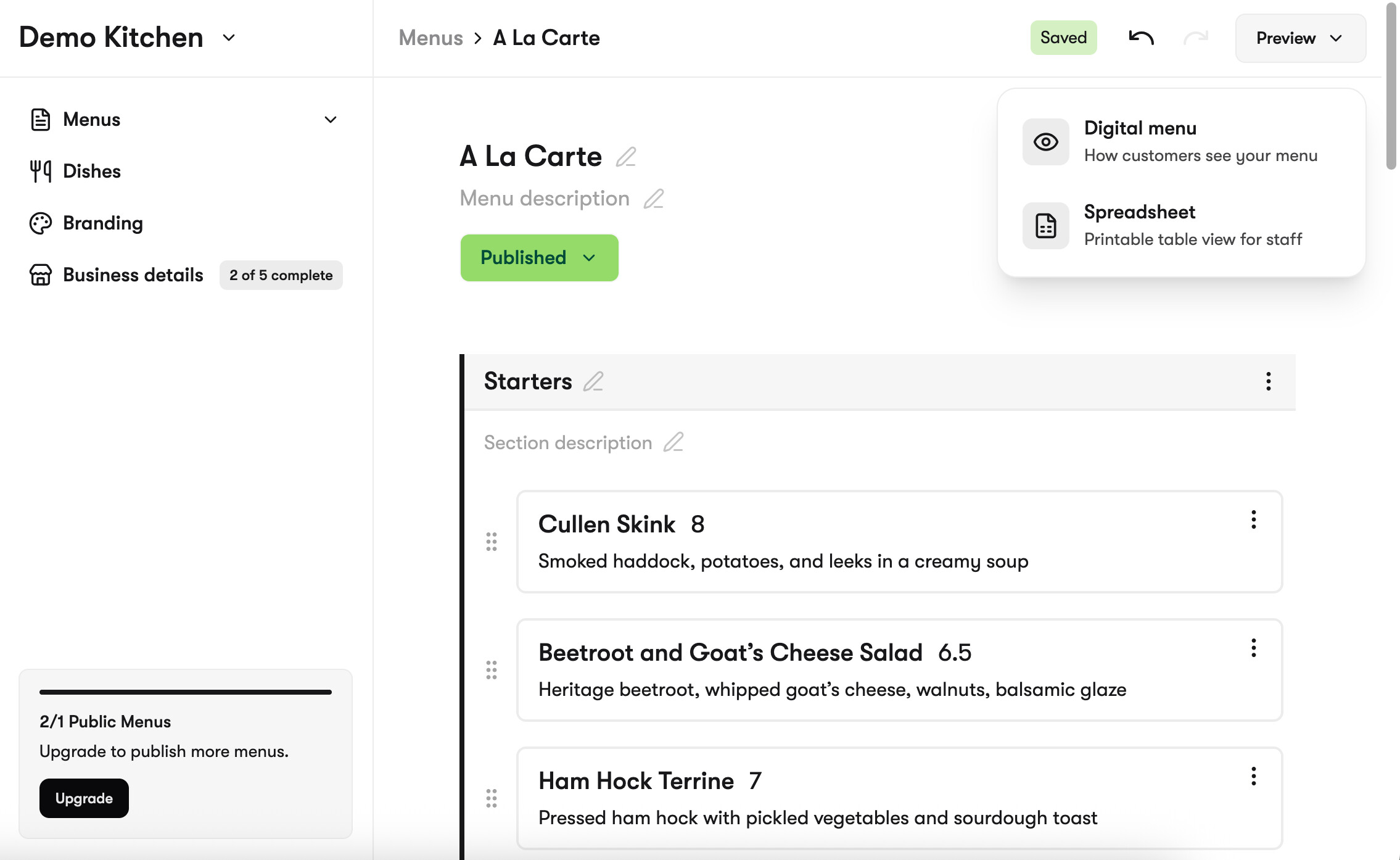
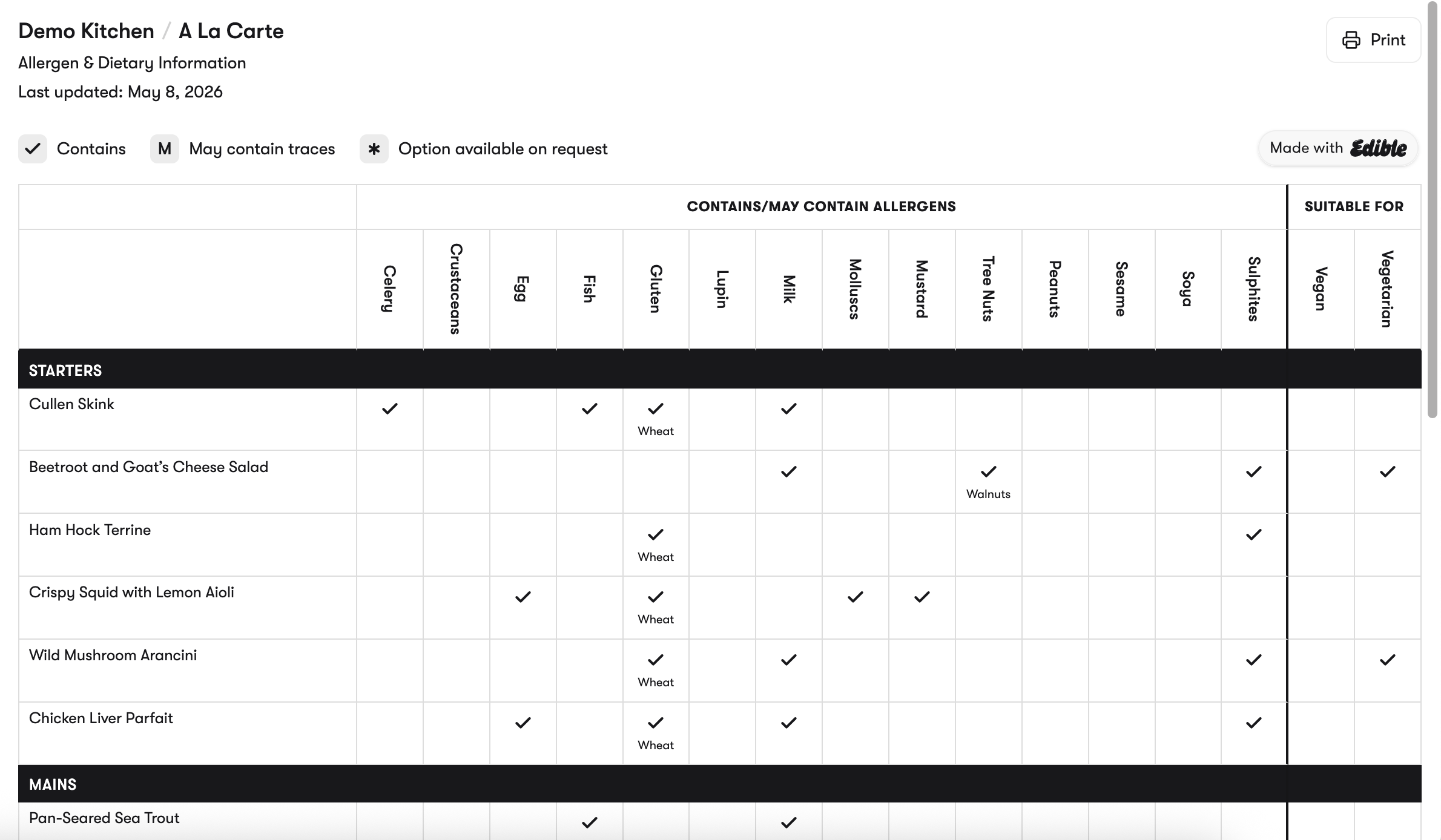
The menu preview button is now a dropdown. Alongside the standard guest-facing preview, you’ll find a Spreadsheet: a compact, paper-friendly layout that lists every dish on your menu against the 14 allergens and any active diets that your menu serves.
This is designed to be printed and kept behind the bar, on the pass, or wherever your team needs a written reference. It’s the same source of truth as your live Edible menu. Update the menu, reopen the view, print again.
Why we built it
The UK Food Standards Agency best-practice guidance for non-prepacked food recommends that a written, printable record of allergen information is always available on-site. Even with a digital menu, a printed copy is useful for guests who prefer a physical version and internally for your team to reference.
This view gives you that second view of the same data, without keeping a separate spreadsheet up to date.
How to use it
- Open the menu you want to print.
- Click the dropdown next to the Preview button.
- Choose Spreadsheet. The page opens in a new tab.
- Click the print button (top right) or use your browser’s print function (Cmd+P on Mac, Ctrl+P on Windows) to print or save as PDF.
Things to know
- The view is internal. It isn’t published to your guest-facing menu
- Anything you change in your Edible menu shows up instantly in the view. Reprint when the menu changes
- This is a reference document for your team, not a replacement for your live, filterable guest menu. That’s still the experience your guests access on your website
Questions?
Drop us an email or message us below and we’ll get back to you.